
From the home screen to your door
This is how ordering works on ZadGo, step by step. The images are real screens from the app (Arabic interface), with live Karak stores.

Set your location and pick from the home screen
When you open the app you choose a delivery address on the map. If it is inside the delivery area you see the stores open around you; if not, the app tells you plainly.
From the home screen you reach the categories (restaurants, ZadMart, supermarket, sweets, drinks…) and Karak's top stores, or search by store or product name.
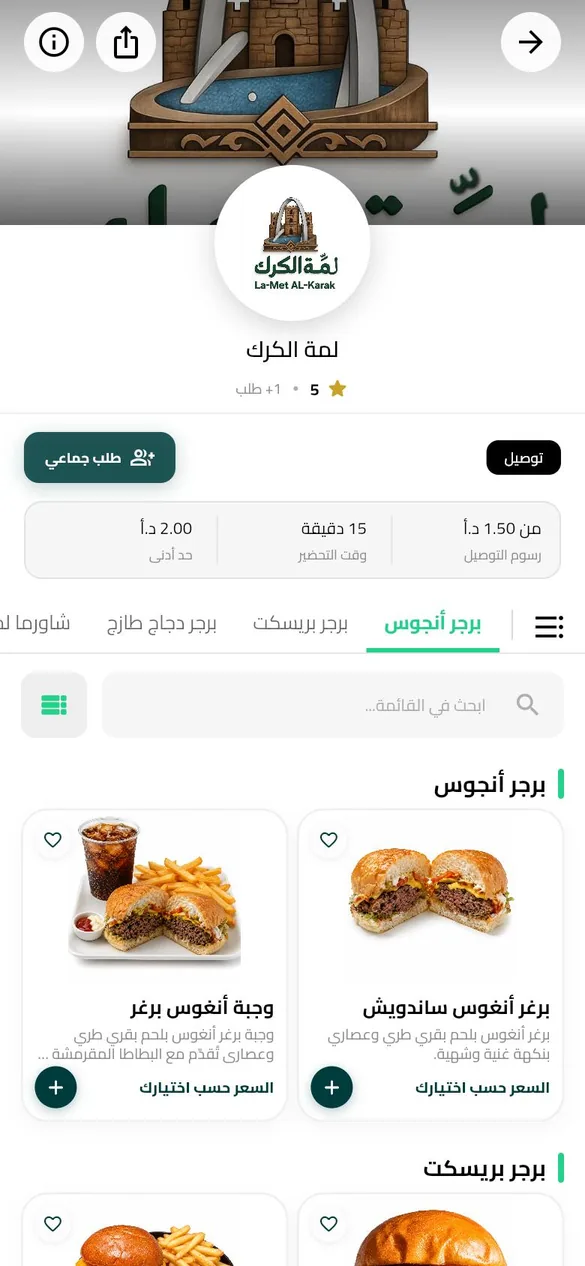
Open the store
Before you choose anything, the delivery fee to your address, the preparation time and the minimum order are shown above the menu.
The menu is split into the restaurant's own sections with a search box. From the same page you can start a group order and share the link with friends.
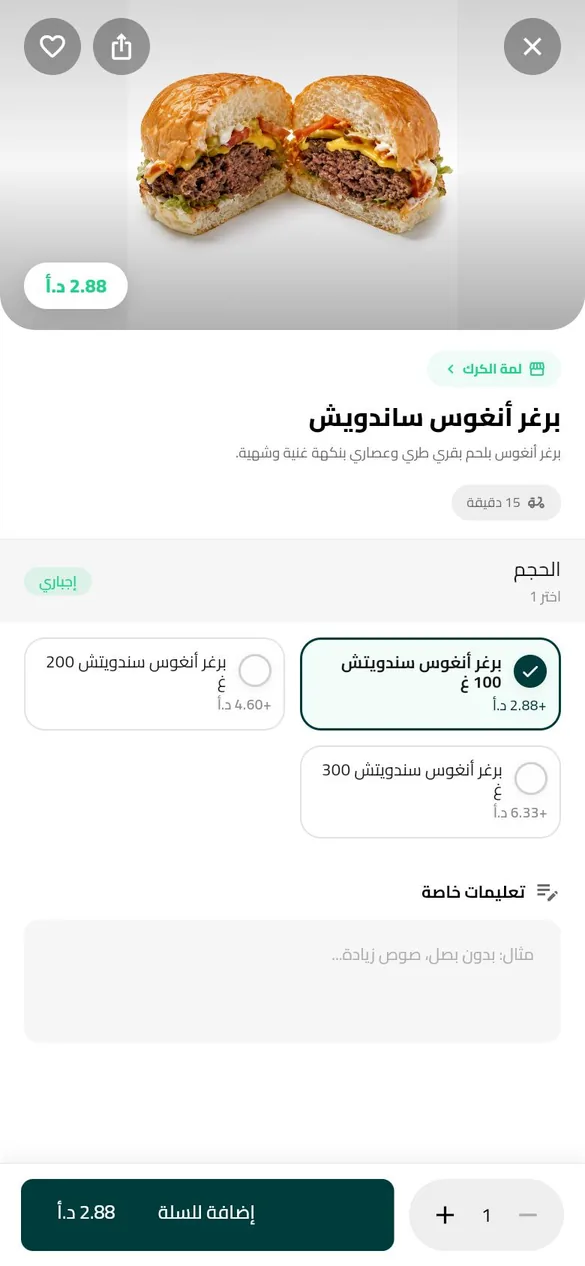
Customise and add to cart
Pick the size and extras and write any special instructions for the kitchen. The price on the add button updates with every choice.
Required options are clearly marked, so nothing gets missed.
04–06After the cart
Confirm, pay, track
These steps need an account, because they use your address and phone number.
Review and confirm
Checkout lists the items, the delivery fee and the service fee before you confirm, with a field for a note to the captain.
Choose how to pay
Cash on delivery, or Visa or Mastercard on a secure Network International payment page. A card order only reaches the store once the payment succeeds.
Track it to your door
Follow every stage: the store accepting, preparing, the captain picking up, then their position on the map until they arrive. You can call or message the captain from inside the order.
Small things
Details that are there from day one
- Group orders
- One basket for everyone from the same store, each person adding from their own phone.
- Favourites
- Save stores and products and come back to them in a tap.
- Wallet
- Credit from rewards and compensation that you spend at checkout.
- Support
- Reach the support team from inside the order itself.
- Language
- The app is in Arabic and English.
Coming soon to the stores
Meanwhile, check whether your area is covered.